Sample Annotation
With the sample annotation tool, users can group samples (raw files) and run statistical analysis.
This tool is enabled only when the quantification option is enabled (e.g., LFQ, TMT).
Samples can be grouped manually or using a built-in AI-powered annotation tool.
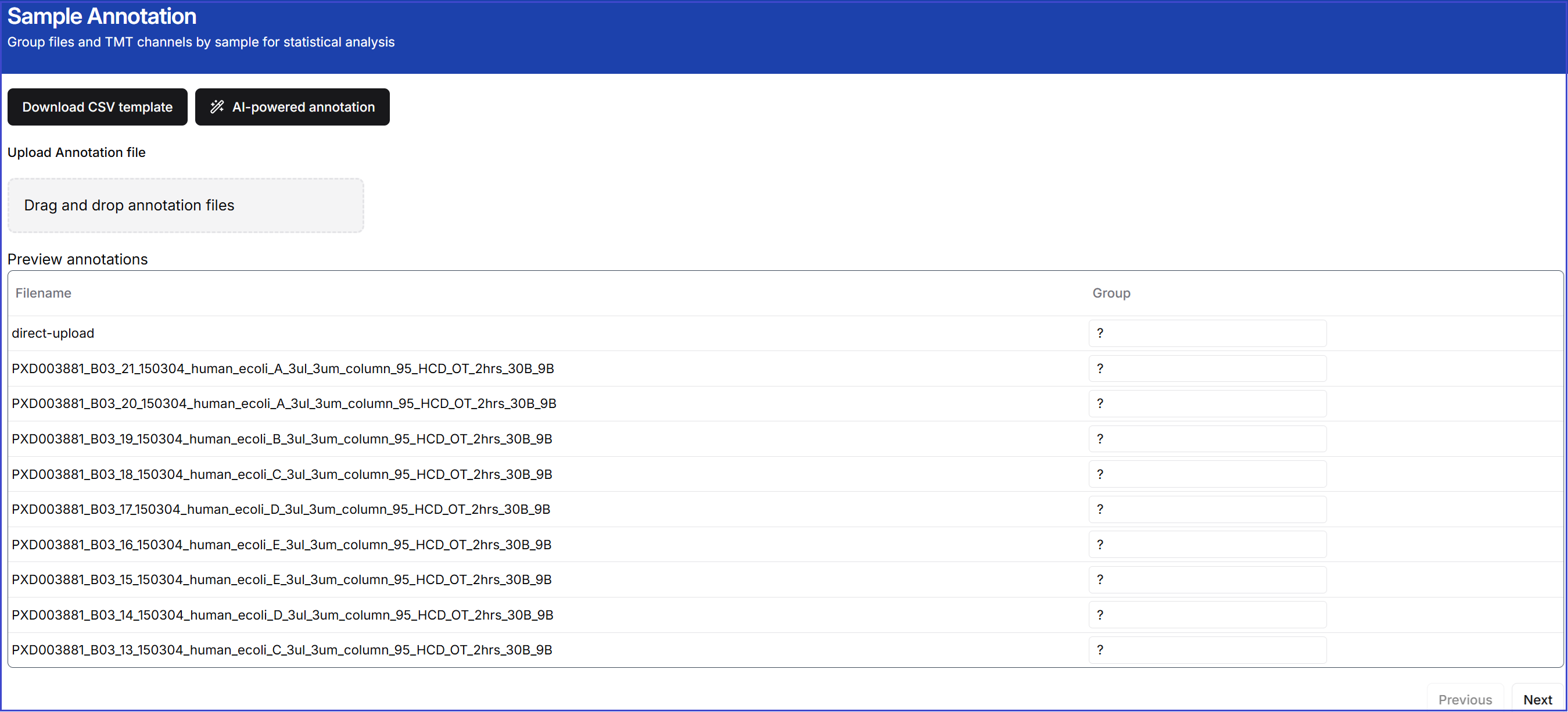
Option 1: CSV template
Click the 'Download CSV template' button to download a CSV template file. Then, open it either in a text editor or in Excel.
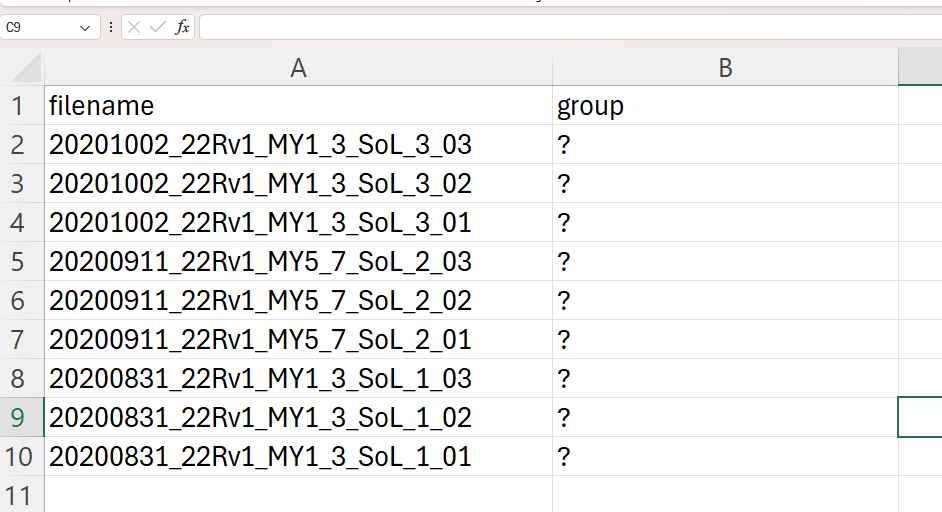
The group names can be assigned with any user-defined names.
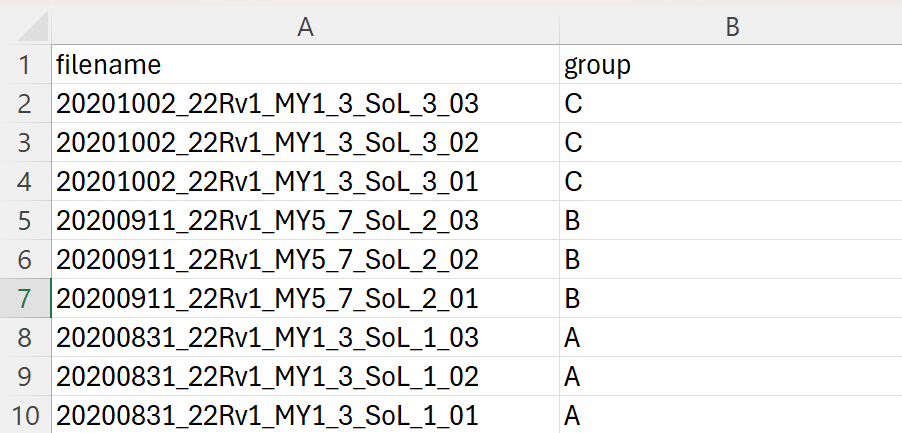
Save it as a CSV file. Then, drag and drop it onto the page. It will assign the group names with user-defined values.
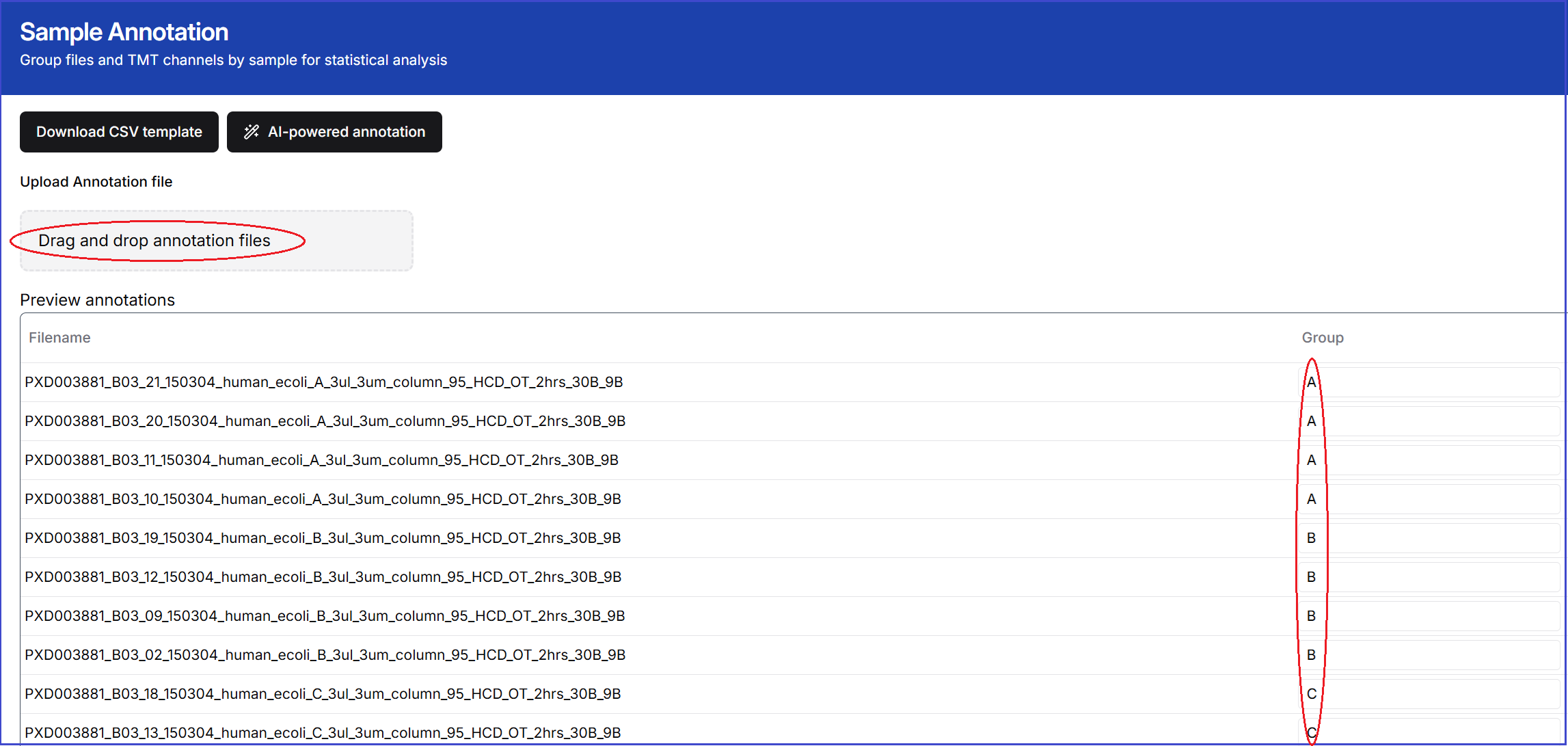
Option 2: AI-powered annotation tool
Click the 'AI-Powered Annotation' button to automatically assign the group annotation names.